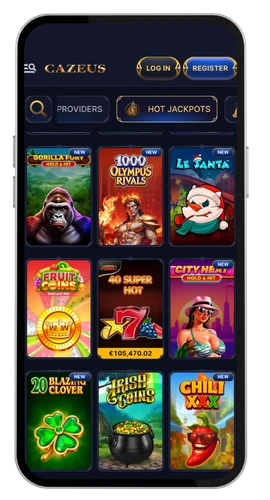
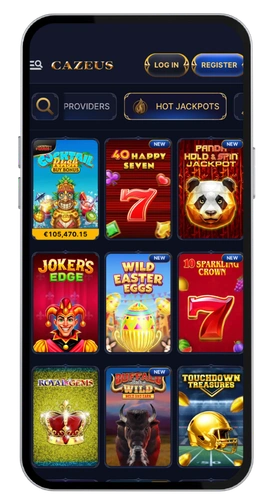
Getting into your account at Cazeus casino takes about ten seconds once you’re registered, and that’s the whole point. You get 9,000+ games from 109 providers like Pragmatic Play, Nolimit City and Evolution Gaming waiting behind one login button. We run Cazeus casino with 24/7 live chat support, so if anything goes wrong with your password or your email address, someone real answers. Players in Slovakia can switch the platform to Slovak, pay in euros, and move money through Skrill, Neteller, PaysafeCard, VISA or Bitcoin without any fees from our side.
Our Cazeus login works the same on desktop, mobile browser and the Android app. One set of credentials, one account, every device. We don’t keep you logged in automatically, which some people grumble about, but it keeps your account safer on shared phones and laptops.
Cazeus Mobile App Access Anywhere
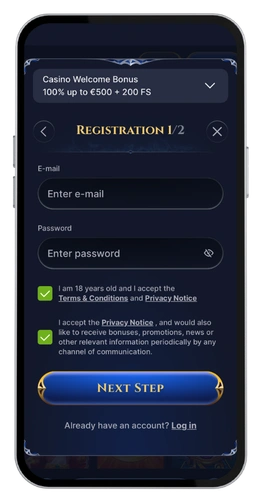
Registration asks for an email address, a password and a few personal details. That’s it. No scanned documents at the sign up stage, no twenty minute forms. We verify your identity later, usually before your first withdrawal, and our team tells you exactly which papers we need.
Security sits behind every step. Your password is encrypted, we use two-factor authentication on request, and we check each login attempt from a new device. If something looks odd, we lock the account and email you a recovery link instead of letting a stranger walk in.
Sign Up process on Desktop
Here’s the desktop route, step by step.
Open our official website in any browser and click the registration button at the top right.
Enter your email address and choose a strong password.
Fill in your personal information, including your name, date of birth and home address.
Pick euros as your currency and confirm you’re over 18.
Check your inbox and click the confirmation link we send you.
The whole process runs around ninety seconds. Account verification comes next, and we’ll ask for an ID photo plus a recent utility bill to prove your address. Most checks finish inside 24 hours.
To log in later, hit the Sign in button, type your registered email and password, and you’re back. Forgot password? Use the reset link and we’ll email a fresh one.
Registration through Mobile App
Our Android app weighs 30MB, so it downloads fast even on patchy signal.
Download the app from our website and allow installation.
Tap the sign up panel on the opening screen.
Enter your email address, password and username.
Add your personal details and select your currency.
Confirm the activation link from your inbox.
Two minutes, maybe less. After that, open the app, enter your credentials and tap log in. There’s no automatic login, so keep your password somewhere safe or use your phone’s own password manager.
Web Version from Mobile
Don’t want another app eating storage? Open our site in Chrome or Safari and everything works the same. Tap the menu, choose registration, enter your email address and password, add your details, then confirm through the link we send. The mobile web version loads the full games library, the cashier and your account history with no download at all.
This suits iPhone owners and anyone who switches devices often. Your account stays identical whichever way you access it, and the same secure authentication protects both. If you hit issues logging in, our customer support team runs live chat, email at [email protected] and phone around the clock, every day.